
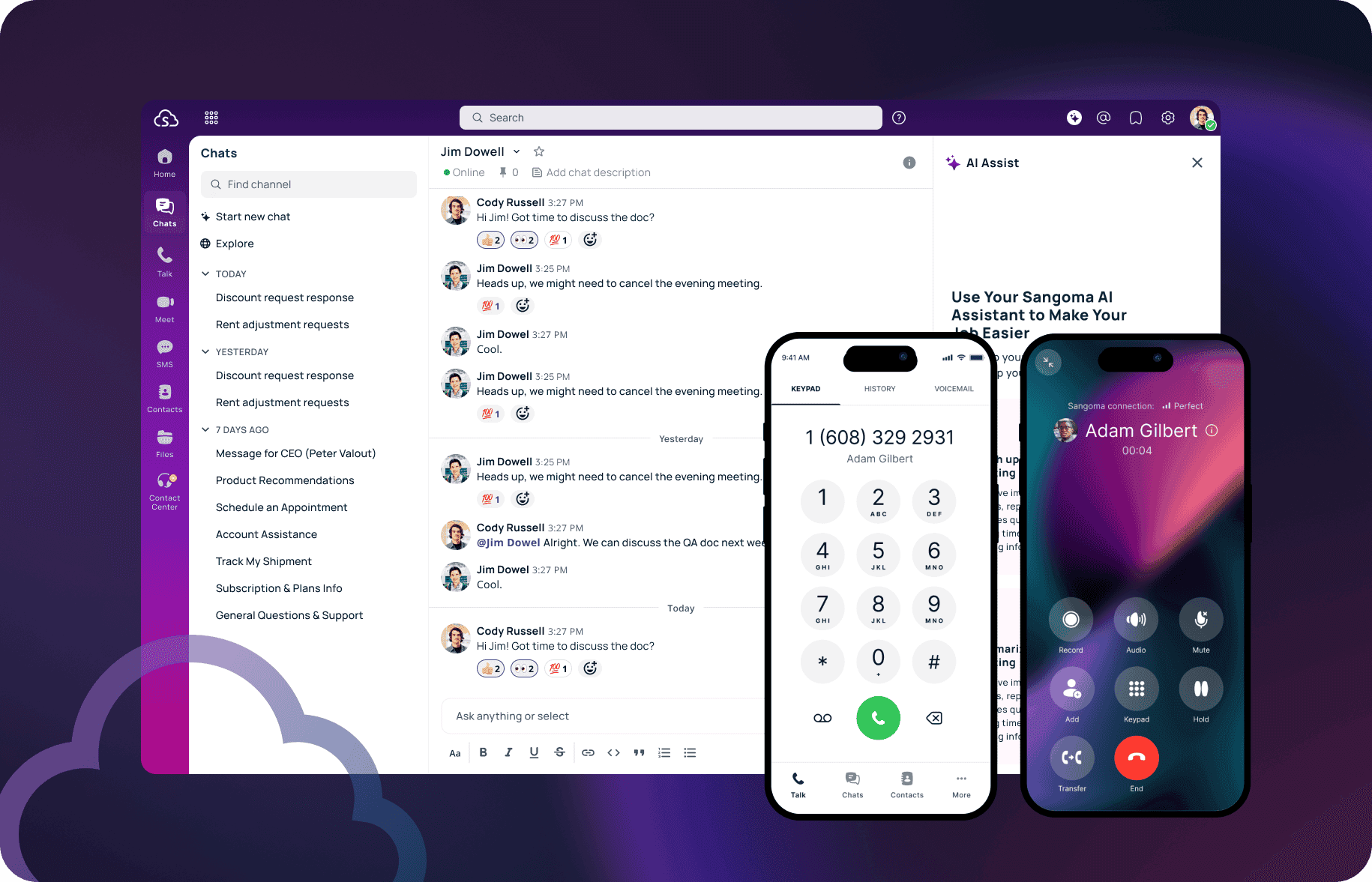
Unified Communications as a Service (UCaaS) brings voice, video, messaging, and collaboration together on a cloud platform. It is designed for the way modern teams work—whether remote, hybrid, or office-based. With simple deployment, low IT costs, and built-in scalability, UCaaS helps businesses stay productive and connected without managing servers or juggling applications.
What is UCaaS (Cloud UC)?
Unified Communications as a Service (UCaaS) integrates several communication channels, including voice calls, video conferences, instant messaging, and collaboration tools, on a single cloud platform. They are accessible from any device and generally include unified messaging, call routing, analytics, and mobile compatibility—all managed in the cloud, without on-premises infrastructure.
Why are businesses moving to cloud UCaaS?
Many businesses now favor cloud UCaaS over traditional solutions because of its exceptional flexibility, lower costs, scalability, and easy integration—essential factors for modern operations and collaboration.
Flexibility for remote and hybrid teams
UCaaS facilitates remote collaboration by providing reliable communication and business collaboration tools across various devices—smartphones, tablets, laptops, or desktop computers. Employees can switch between devices and enjoy consistent collaboration—whether at home, on the go, or in offices around the world.
Cost-effective communication infrastructure
Businesses adopting UCaaS significantly reduce expenses by eliminating upfront hardware investments, licensing fees, and substantial maintenance costs. With predictable subscription-based pricing, companies can budget communication expenses effectively without unexpected fees.
Greater scalability and agility
UCaaS adapts effortlessly to evolving business needs, whether increasing or decreasing capacity. Companies can instantly add or remove users, manage new locations, or expand services without major infrastructure investments, preserving operational agility and responsiveness to market changes.
Plug-and-play integrations
UCaaS platforms offer powerful integrations with critical business applications, including CRM systems (Salesforce), project management tools (Asana, Trello), and collaboration platforms (Microsoft Teams, Slack). These integrations streamline workflows, reduce redundancy, and increase overall productivity.
Improved performance and reliability
Leading UCaaS providers ensure high availability through geo-redundancy, multiple data centers, and disaster recovery measures. Cloud resilience ensures that communication remains uninterrupted, minimizing downtime and disruptions.
UCaaS Cloud Deployment Process
Getting started with UCaaS should not be overwhelming. But it requires smart planning and a provider able to support you at every step. Here are the key points.
Assess your company's communication needs
Start by being brutally honest about what works and what does not. Are teams switching between tools? Are dropped calls costing you sales? Analyze usage patterns, support tickets, and real pain points. Involve department heads and IT from the outset to avoid surprises. Clarify what your staff actually needs to work better.
Choose an experienced and reliable UCaaS provider
Not all vendors are created equal. Look for a provider with a proven track record (bonus if the provider manages its own infrastructure), real customer support—not just bots—and security built into every layer. Ask how it integrates with the tools you already use—Salesforce, Teams, or Slack. And if the provider cannot provide concrete examples or customer stories, keep looking.
Pro tip: ask what onboarding actually looks like. Are you guided step by step, or are you simply handed a login?
Plan a smooth deployment or migration
A solid migration plan should feel more like a handover than a mad dash. Start with a clear timeline. Decide which teams move first and allow time for testing. Confirm how number porting, call routing, and backups will be handled. Appoint internal champions—people who can help others get up to speed quickly. And make sure everyone knows what is changing and when. No one likes surprises when it comes to their phone or inbox.
Training and adoption for teams
Do not assume people will “figure it out.” Make adoption easy. Offer live demonstrations, not just PDFs. Show how this new setup simplifies their day—fewer clicks, clearer calls, faster responses. Use short videos, quick-reference sheets, and concrete examples related to their work. Ask internal champions to answer FAQs and gather feedback. And check in regularly: training should not stop after the first week.
Ongoing support that does not disappear after go-live
After launch, your provider should remain available. This means 24/7 support from real people, regular system updates, and monitoring of availability and performance. Good support also means proactive fixes—detecting problems before your team notices them. Look for providers that also offer usage analytics so you can see how the system is being used and where there is room for improvement.
UCaaS Cloud vs. On‑Premises vs. Hybrid: which deployment model is right for you?
Choosing between cloud, on‑premises, or hybrid requires evaluating factors such as upfront investment, management requirements, flexibility, and scalability:
| Feature | UCaaS (Cloud) | On‑Premises UC | Hybrid UC |
|---|---|---|---|
| Cost | Low upfront cost, subscription-based | High initial investment | Moderate cost |
| Scalability | Instantly scalable across locations and users | Limited by physical infrastructure | Highly scalable across locations with local control |
| Maintenance | Managed by vendor | Requires in-house IT team | Shared responsibility (vendor + local IT) |
| Integration | Seamless with cloud-based apps | Possible with effort and custom setup | Supports both cloud integrations and legacy systems |
| Reliability | 99.999% uptime with cloud redundancy | Dependent on local hardware; risk of downtime | 99.999% uptime with dual-path reliability: local survivability + cloud backup |
| Sangoma’s solution | Sangoma UCaaS | Sangoma On‑Premises UC | Sangoma Hybrid UC |
If you would like to explore the different unified communications solutions and deployment options in more depth, read our comprehensive guide and use cases for UC configurations.
UCaaS Deployment Challenges and How to Overcome Them
Even the best UCaaS system won’t do much if your network can’t support it, your users don’t trust it, or your data isn’t protected. Here’s how to manage the most common obstacles before they become real problems.
Network Readiness and Bandwidth
HD video calls and real-time messaging don’t work well over an unstable connection. Before deploying UCaaS, check whether your network can handle the load. Assess bandwidth at every site—don’t guess. Prioritize voice and video traffic with QoS (Quality of Service) settings, and make sure remote users have reliable access. If the internet goes down, what’s your backup plan? The right provider will help you plan the failover so your team stays online, even when problems arise.
Security Vulnerabilities and Compliance Risks
When communication tools handle customer calls, internal chats, and business data, security cannot be taken for granted. Make sure your UCaaS provider offers end-to-end encryption and strong access controls, and fully complies with the standards required by your industry—HIPAA, PCI, or both. Ask what kind of behind-the-scenes monitoring they perform. A secure UCaaS platform should protect data before an incident occurs—not react afterward.
User Resistance and Adoption Barriers
Technology is only useful if people use it. If your team isn’t convinced, adoption stalls. The solution? Start by explaining what’s in it for them—clearer calls, fewer connections, and less time spent searching for information. Keep training simple and practical. Create quick guides and short videos, and appoint departmental champions to answer questions as they come up. And don’t stop at launch: keep listening. Gather feedback early and often so you can make adjustments and maintain momentum.
Migrating to UCaaS: What to Expect
Transitioning to cloud UC doesn’t have to be disruptive. With the right preparation and partner, it’s a smooth transition from scattered tools to streamlined collaboration.
1. Review Current Communication Systems
Audit the tools teams use—PBX, chat apps, conferencing, and mobile devices. Identify what’s working and what isn’t. Talk with department heads about recurring pain points.
2. Select a Full-Service UCaaS Provider
Look for:
- Proven cloud uptime and compliance (HIPAA, PCI, etc.)
- Built-in security such as TLS/SRTP encryption
- Mobile and desktop compatibility
- Native integration with your current tools (Salesforce, MS Teams, etc.)
- Real 24/7 support (not just chatbots)
With Sangoma, you get in-house infrastructure and a dedicated onboarding team.
3. Plan the Deployment
Create a phased migration plan:
- Timeline and testing periods
- Call routing and number porting
- Internal communication and change management
Work with IT and managers to prepare devices, assign licenses, and validate backups.
4. Train Your Teams
Don’t let new tools become unused equipment. Offer live demonstrations, video tutorials, and access to support documents. Use departmental champions to answer FAQs and share quick wins.
5. Monitor and Optimize
After deployment, monitor usage and uptime. Use analytics to track adoption, call performance, and usage trends. Keep a feedback loop open so you can refine workflows.
Common Challenges (and How to Avoid Them)
- Bandwidth bottlenecks: conduct a pre-deployment network assessment to ensure your current infrastructure supports voice and HD video.
- Security vulnerabilities: choose vendors with proven compliance and advanced security—encryption, multi-factor authentication, and real-time threat detection.
- Resistance to change: make the transition easier. Communicate clearly, hold frequent demonstrations, and show how UCaaS reduces everyday friction.
Ready to Move to UCaaS Cloud?
Moving to UCaaS is not simply about replacing phones. The goal is to eliminate operational friction and improve collaboration and productivity. With Sangoma’s cloud-first approach, you give your business the tools it needs to streamline communications without adding IT overhead – on a platform designed to grow with you.
Additional links: