
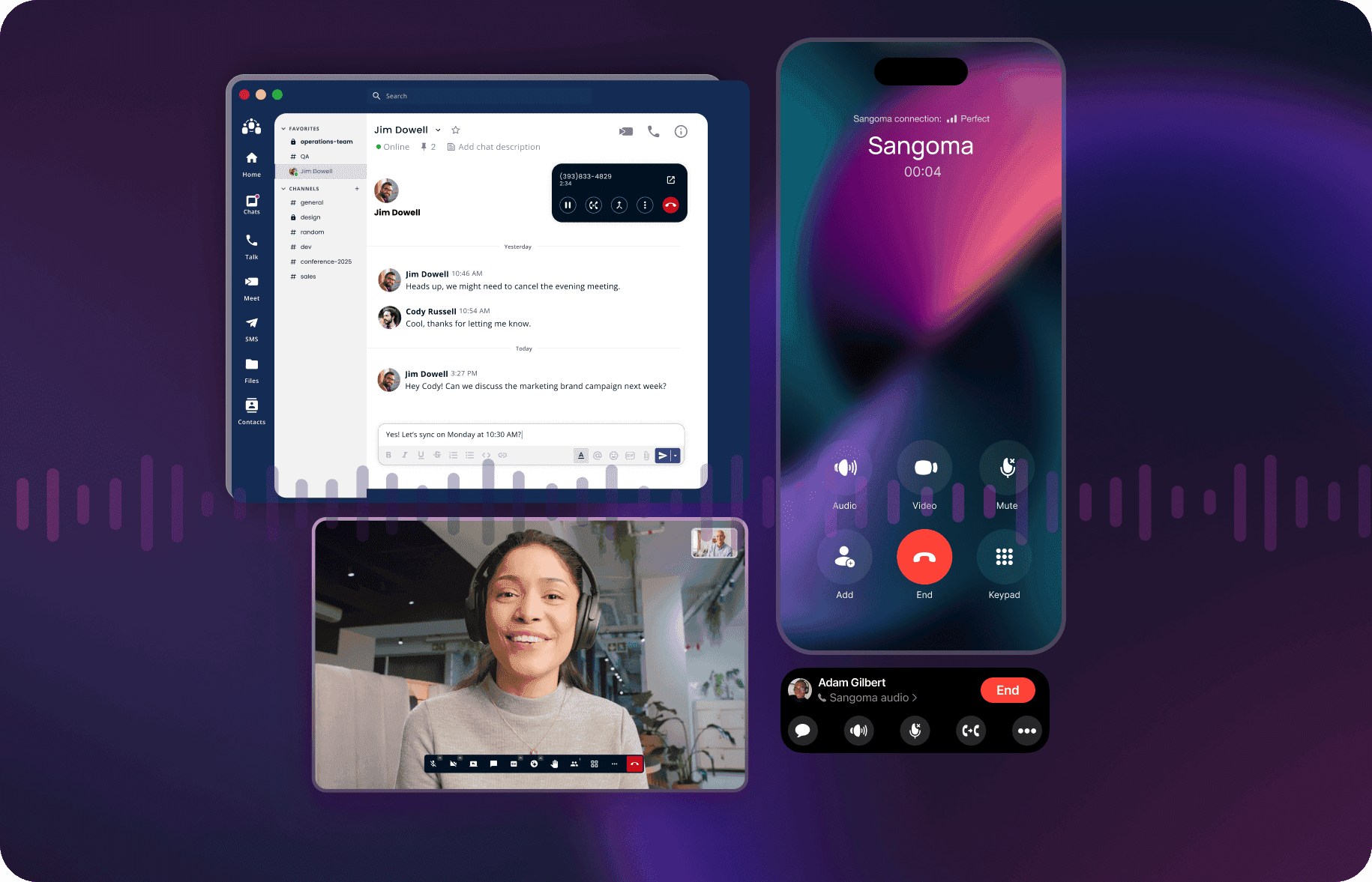
Every missed call, delayed message, or awkward video conference costs your business more than time: these are lost opportunities. On average, an employee switches between 13 and 30 different applications per day, losing focus and wasting hours. In one week, that amounts to about four hours spent refocusing after switching between tools. This constant switching does not just slow productivity; it also leads to missed messages, errors, and frustrated teams.
Another major problem is lost calls and call abandonment. When customers encounter long waits, connection issues, or confusing IVR systems, 60% disengage—taking potential revenue with them. In the healthcare sector, for example, the cost of lost calls ranges from $1,000,000 to $4,000,000—some providers can lose up to $12,000 per day due to call abandonment rates reaching 27%.
A unified communications platform brings everything together—calls, messages, video, and collaboration—in one place. When properly integrated, it enables faster decisions, smoother workflows, and a team that stays focused on what matters.
In this guide, you’ll see how a well-designed unified communications platform saves you time, reduces costs, and helps your business grow. We’ll also show you how to choose a solution suited to your needs and budget.
What Are Unified Communications (UC)?
Unified Communications (UC) is an integrated system that combines several communication tools, such as voice, video, text messaging, and file sharing, on a single platform. It helps businesses manage their communication needs more efficiently.
You may have heard of UCaaS (Unified Communications as a Service). The difference between UC and UCaaS is simple: UC is generally managed and maintained in-house, while UCaaS is a cloud-based version offered by third-party providers. UCaaS offers the same benefits, with the added flexibility and scalability of the cloud.
_Related: If you are considering migrating from your on-premises UC solution, see ourcloud migration guide.
Why does your business need unified communications solutions?
Dropped calls, missed messages, and glitchy video meetings slow your team down. Communication tools are supposed to make things easier—but when you juggle too many tools, they do the opposite.
Unified communications solve this problem. They bring all your calls, messages, video meetings, and file sharing together in one simple system. No more switching between apps, misunderstandings, or wasted time.
If your team is still struggling with clunky tools or finding it hard to keep remote and on-site teams connected, it’s time to rethink your setup. Unified communications are about more than staying connected; they’re about staying competitive.
Here’s what they can do for your business:
- Stay connected with ease: A unified communications system centralizes calls, chat, video, and file sharing, avoiding time wasted switching between tools. In the office, teams get quick answers and keep projects moving. Remote workers stay just as connected, with everything they need to collaborate in real time.
- Reduce costs: Why pay for five tools when one will do? Unified communications reduce the number of systems to manage, lower your IT costs, and offer flexible pricing to fit your budget.
- Grow with your business: Growing fast? Adding remote teams? Unified communications solutions grow with you. Add or remove features as needed, without the hassle of constant technology upgrades.
- Keep your customers happy: Faster responses, clearer communication, and fewer missed calls. With all your customer interactions centralized, you improve service time and deliver a better experience.
- Ensure reliability—no dropped calls: Call quality and availability are crucial. A robust unified communications system prioritizes voice and video traffic, preventing dropped calls, delays, and poor connections. Your team stays reachable, and your customers never experience frustrating interruptions.
The foundations of unified communications
A unified communications system makes work faster, simpler, and more reliable when the right tools are properly integrated. Here’s what you need:
Voice and telephony systems
VoIP (Voice over Internet Protocol) lets businesses make and receive calls over the Internet. It reduces costs, improves call quality, and makes it easy to add features such as call forwarding and voicemail-to-email conversion without complex configurations.
Video conferencing
A good video conferencing system provides high-quality, reliable video calls without lag or dropped connections. This makes meetings productive, whether your team is in the same office or on the other side of the world.
Messaging and team collaboration tools
If you keep switching between five different apps to chat, call, or share a file, you’re not collaborating; you’re multitasking badly.
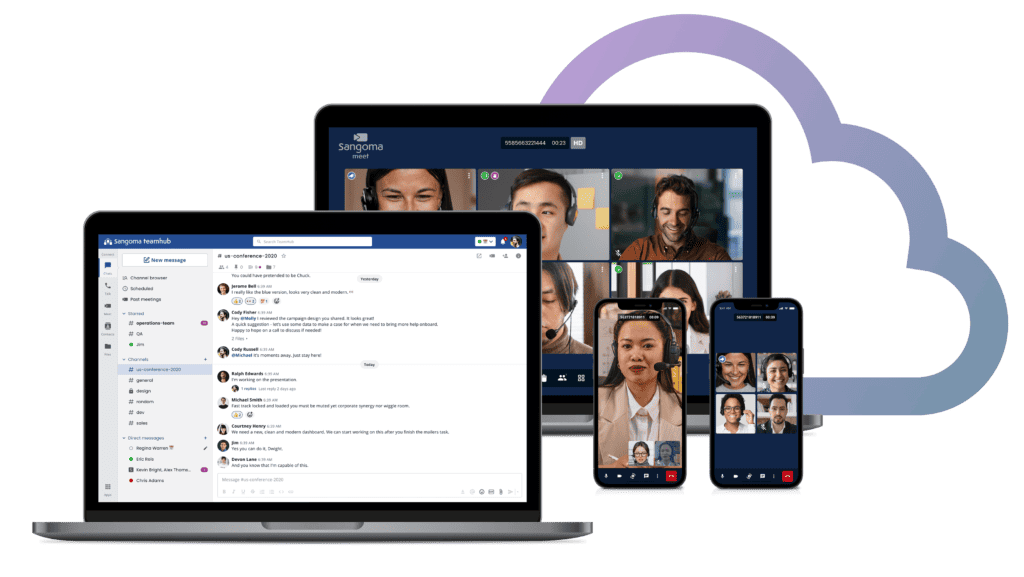
The Sangoma team collaboration system, TeamHub, brings everything together: calls, chats, video meetings, SMS, and file sharing, on one platform that works wherever you work. No more juggling apps or losing conversations.
- Instant messaging without the clutter : Public channels, private discussions and direct messages, all organized so you never lose track of a conversation. Smart search and built-in AI help you quickly find what you need.
- Crystal-clear calls, anywhere : Make and receive calls from your desk or phone. Transfer calls, check visual voicemail or use advanced features like « Find Me/Follow Me » effortlessly.
- Video meetings directly from chat : Start a meeting from your conversation, add live captions and share your screen without technical hiccups.
- Organized files : Store, organize and share files in your personal TeamHub Drive. Whether you are at your desk or on the go, your documents are there when you need them.
- Send SMS to your customers : Send text messages using your business number. Quick updates, reminders or customer support — all managed directly from TeamHub.

Mobility and presence management
Work doesn’t stop when people leave their desks. Calls, messages and meetings follow you everywhere, and if your communication tools don’t keep up, your business slows down. That’s where mobility and presence management come in.
Sangoma mobile apps allow your team to make and receive calls using their business numbers from anywhere—whether at home, in a café, or on the other side of the world. Voicemail, video meetings, and file sharing are accessible from a softphone, mobile client, or tablet. Sangoma’s desktop client works on tablets and through a web browser, with support for multiple browsers, while the mobile client works on Android and iOS.
Presence management shows who is available, who is in a meeting, or who is away for the day. Instead of guessing whether someone is free, your team knows immediately. It sounds simple, but it reduces missed calls, unnecessary emails, and time wasted looking for people.
Everything syncs across devices. Start a call on your desk phone and finish it on your mobile phone. Pick up a conversation thread on your laptop, then switch to a video meeting from your tablet. Everything works wherever you are.
Integration with third-party applications
Switching between disconnected systems wastes time and invites errors. A robust UC system should seamlessly integrate your existing tools to create a cohesive workflow that improves productivity.
With the right integrations, your team can manage customer calls and access key data without switching between applications. Need to update a record, check order history, or log call details? It all happens in a single interface, automatically synchronized across your systems.
Sangoma's solutions are designed for this type of integration. For example, you can link your UC system to CRM platforms such as Salesforce or Zoho. When a customer calls, their complete history appears automatically—no more frantic searches or putting callers on hold while you dig through files. After the call, notes and updates sync directly with the CRM, keeping your records accurate without extra effort.
If your team uses Microsoft Teams, Sangoma's UC platforms can integrate directly into that environment. You continue using the collaboration tools you know, with enterprise-grade telephony built in. This means fewer applications to manage and more consistent communication across the organization.
For businesses using Zapier or custom workflows, Sangoma's Integration Studio lets you automate routine tasks. Incoming calls can trigger automatic updates in project management tools, or voicemail transcriptions can be sent directly to your team's shared workspace.
How does a unified communications platform work?
A unified communications platform works by combining all communication tools (voice, video, messaging, and collaboration platforms) into one unified system. This integration ensures that employees can easily switch from one communication method to another without leaving the platform, streamlining the entire process.
Unified Communications Use Cases Across Different Industries
Let’s examine how UC solutions meet the unique needs of various industries:
Healthcare
In healthcare, UC can improve patient care by enabling seamless communication between doctors, nurses, and administrative staff. Video conferencing can be used for telemedicine, while messaging systems allow staff to communicate quickly in emergencies. Sangoma’s Patient Relationship Management (PRM) system, in partnership with Sphinx Medical’s CallMyDoc®, integrates with electronic health records (EHR), automating appointments, prescriptions, and telehealth communications while reducing follow-ups. Learn more about how cloud communications bring value to healthcare in our article on 3 ways cloud communications bring value to healthcare.
Education
Modern education extends beyond the traditional classroom. UC platforms enable educators to hold virtual classes, engage in real-time discussions, and share resources effortlessly. Whether a university is hosting a guest lecture from across the world or a teacher is offering one-on-one support to a remote student, UC breaks down geographical barriers, making learning more accessible and interactive. Explore UC platforms that strengthen school safety with instant emergency alerts and compliance with Kari’s Law and Ray Baum’s Act.
Automotive
Automotive dealerships and service centers juggle many teams: sales, management, service, and customer support. Unified communications help maintain this coordination. Calls, texts, and service updates run through a single system, keeping customers from waiting for answers and internal teams from playing telephone tag. Mobile softphone apps and advanced call routing improve customer communications, leading to greater satisfaction and loyalty.
Retail
Retail relies on fast communication. UC systems connect in-store staff with customer support and online sales teams, ensuring a unified approach to customer service. Real-time inventory updates, instant messaging, and coordinated promotional efforts across multiple locations become seamless, improving the shopping experience and operational efficiency.
Restaurants
Finding a good UC solution for restaurants can be a challenge. The ideal UC solution handles all customer inquiries—calls, emails, or texts—in one place. This helps your team respond faster and keep customers satisfied. The system should also let you track customer details and orders in one place to speed up service. Look for easy takeout and contactless ordering options, as well as tools to send customers order updates, promotions, and reminders.
Hospitality
Every hotel wants to earn glowing reviews, and the right UC system can help. An integrated UC platform offers intelligent call routing and an IVR to automatically direct guest calls to the right department, reducing wait times. Instant updates about room changes, maintenance needs, or emergencies ensure your team is always informed. High-level security is essential, so choose a PCI-compliant system that protects guest information.
SMBs and Enterprises
Regardless of size, businesses need reliable communications. Small businesses need professional tools without the high price, and unified communications are a cost-effective way to maintain professionalism. They offer call management, conferencing, and unified messaging without requiring extensive infrastructure.
Businesses, on the other hand, benefit from scalable solutions that support large teams and integrate with existing systems to improve collaboration and productivity.
How do you choose the right UC solution for your business?
The “right” solution depends on your business’s size, resources, and specific needs. Do you have IT support to manage an on-premises system, or do you need the flexibility of a cloud solution? Is your team in one office or spread across multiple locations? Do you need advanced features, or is a simple system enough?
See also: Compare UCaaS providers
Let’s break down what you should consider before making a decision.
Start by understanding your business needs
Before diving into specific features, examine how your business operates and where your current setup falls short.
- Identify communication gaps: Are missed or dropped calls costing you sales? Is your team constantly switching between apps to get work done? Do remote employees struggle to stay connected? Identify the exact problems your UC solution needs to solve.
- Assess your IT resources: Do you have an in-house IT team to manage a complex on-premises system? If not, a cloud-based UC solution (UCaaS) may be a better choice. Cloud systems reduce the need for ongoing maintenance and hardware upgrades, freeing your team to focus on running the business rather than technical issues.
- Consider team structure and flexibility: If your team is fully remote or hybrid, mobility is crucial. You’ll need a solution that offers integrations across multiple devices—laptops, smartphones, tablets—so employees stay connected wherever they are. If your team works from one office, a simpler setup may be enough.
- Prioritize features based on actual needs: Don’t get distracted by unnecessary features. Focus on what matters:
- Do you need business-critical voice communications?
- Do you need robust video conferencing for client meetings?
- Do you need real-time messaging for team collaboration?
- Integration with CRM systems to improve customer service? Make a list of must-haves versus nice-to-haves.
- Plan for future growth: Your UC system should grow with your business. If you expect to expand, choose a solution that lets you add users and features easily, without a complete system overhaul.
Analyze integration capabilities
A UC system isn’t just another tool in your technology stack; it should be the hub where all your other tools come together. If it doesn’t integrate seamlessly, it will create more work.
Start by listing the tools your team uses every day: phones, CRM, project management software, support platforms, even email. Your UC system should “talk” to these platforms. If it doesn’t, your team will waste time switching between apps, entering data manually, or, worse, missing important details because the information isn’t where it needs to be.
For example:
- CRM integration: When a customer calls, their history appears automatically. Your team can respond with context, act faster, and personalize the conversation without digging through files.
- Project management integration: Calls, messages, and meetings link directly to tasks or projects, keeping everything connected and traceable.
- Support integration: Customer requests are routed efficiently and records are updated in real time, reducing errors and improving customer service.
Don’t just ask whether a UC system integrates; ask how it integrates. Some systems offer superficial connections that don’t truly streamline workflows. Others offer deep integration, where data flows freely between platforms without manual entry.
Also consider longevity: will this UC integrate with tools you might adopt in the future? Technology evolves, and your communication tools must evolve with it. Look for platforms with open APIs or a track record of frequent updates and new integrations. Also look for companies already integrating AI into their solutions, ensuring your system stays at the forefront.
Choose the right deployment model
The way you deploy your UC system is not just a technical decision; it’s a business decision. It affects your costs, flexibility, security, and the level of IT support needed to keep everything running smoothly.
Sangoma stands out by not forcing you into a single model. You can choose between on‑premises, cloud or hybridUCaaS solutions depending on what best suits your business. The right choice depends on more than features; it depends on how your business operates today and how you plan to grow.
Here’s how to think about it:
- On‑premises: full control, but more responsibility: On‑premises systems give you full control over your infrastructure. You manage your own servers, security, and updates. This is suitable if you have a dedicated IT team, strict compliance requirements, or need to customize your system extensively. But this control comes with responsibilities: you manage everything from maintenance to troubleshooting, and upfront costs for hardware and installation can be high. Ask yourself: Do you have the IT resources to manage and maintain this system in-house? Are there compliance or security concerns that require full control over your data?
- Cloud: flexibility without the overhead: Cloud-based UC solutions (UCaaS) are ideal if you want to avoid the hassle of managing hardware and infrastructure. Everything is hosted off-site; updates, maintenance, and security are managed by the provider. This model offers easy scalability—add or remove users as your business grows—and supports remote teams effortlessly. You don’t have to manage the infrastructure, but your service depends on a stable Internet connection. With Sangoma’s 99,999% availability, downtime is virtually nonexistent, ensuring uninterrupted communication. Ask yourself: Is your business ready to rely on a third-party provider for availability and security? Do you need a solution that is quick to deploy and easy to scale without a large IT footprint?
- Hybrid: the best of both worlds: A hybrid model lets you combine on-premises control with cloud flexibility. Unlike other hybrid configurations that can be complex to manage, Sangoma’s hybrid solution is easy to set up through the cloud and provides a full-time on-premises and cloud solution. This approach is perfect for businesses with mission-critical communication needs, ensuring internal communications continue even during internet outages, with instant failover. It also allows businesses to take advantage of legacy on-site communication devices, which is ideal for industries such as healthcare and manufacturing that require reliability. Ask yourself: Do you need to balance strict security requirements with the flexibility of remote work? Are you growing rapidly but not yet ready to fully commit to the cloud?
Evaluate security and compliance
Ensure the UC platform meets relevant security standards and regulations, especially if you handle sensitive customer data. A robust platform should offer end-to-end encryption, multi-factor authentication (MFA), and role-based access controls to protect communications from unauthorized access. Compliance with industry regulations—such as HIPAA or SOC 2—ensures that data is handled securely and meets legal requirements.
Look for vendor support and maintenance
Check whether the provider offers reliable customer support and regular updates to keep your system running smoothly. This includes several contact channels (phone, email, live chat) and a comprehensive knowledge base to proactively resolve common issues.
Naturally analyze the costs and ROI
Weigh the initial costs against long-term savings. Assess how the UC solution will improve productivity and customer satisfaction, and consider the potential return on investment.
When choosing the ideal UC solution for your business, it is important to understand the available deployment models.
Best practices for implementation
A UC system touches every part of your business: how your team collaborates, how you serve customers, and the efficiency of your operations. A rushed or poorly planned deployment can cause more problems than it solves. But with the right approach, you can avoid disruptions and have your system running on day one.
Here’s how to do it right:
- Start with a clear, detailed plan: Before touching a single wire or downloading any software, map out exactly what success looks like. Set clear goals: are you looking to improve remote collaboration? Reduce IT costs? Speed up customer service? Assign responsibilities to specific team members, set realistic deadlines, and identify potential obstacles in advance. A detailed plan prevents chaos later.
- Be honest about your IT capabilities: Do you have the in-house expertise to manage an on-premises deployment, or do you need a cloud solution to simplify things? If you’re not sure, opt for less complexity. Choosing the wrong deployment model isn’t just a technical headache; it’s a business risk.
- Test integrations before going live: UC systems must work with your existing tools, from CRMs to project management platforms. Test integrations thoroughly before deploying across the entire company. This prevents surprises such as missed calls, lost data, or applications that don’t sync.
- Invest in real training, not just a quick demo: Don’t assume your team has “got it.” Even the best UC solution is useless if people don’t know how to use it. Plan hands-on training sessions covering not only the “how” but also the “why” behind each benefit. The more confident your team is, the faster they’ll adopt the new tools—and the fewer problems you’ll have later.
- Roll out in phases, not all at once: A full launch may seem efficient, but it increases the risk of widespread problems. Start with a pilot group—perhaps one department or office—and fix issues before expanding. This phased approach helps detect problems early and build internal champions who will support the wider team when it’s time to expand.
- Use ongoing support to keep things running smoothly: Implementation isn’t “deploy and forget.” Your UC system will need updates, optimization, and occasional troubleshooting. Make sure you have reliable support from your provider and don’t hesitate to use it. Regular checks and updates will prevent small problems from becoming major headaches.
Sangoma’s unique approach to unified communications (multi-deployment)
Most unified communications providers lock you into a single deployment model—on-premises or cloud. That’s fine if your business is a perfect fit, but most businesses aren’t.
Sangoma does things differently. Whether you need an on-premises system, a cloud-based solution, or a hybrid combining both, Sangoma offers the flexibility to meet your specific needs. This is more than a benefit; it’s crucial when your business has unique requirements or is growing rapidly.
Here’s how each model works, and when it makes sense to choose one over another.
Hybrid deployment models

Hybrid systems offer the best of both worlds. You can keep sensitive data on site for security or compliance reasons while using cloud services for remote work and scalability. This type of configuration is ideal for businesses in the healthcare or legal services sectors, where data privacy is crucial but teams need to collaborate from different locations.
Sangoma’s hybrid model is not simply a compromise between on‑premises and cloud; it is a fully integrated system that always includes both. The on‑premises device ensures local control of call quality, protection against outages, and internal routing, while the cloud component manages external connectivity, scalability, and remote access.
This configuration solves network congestion and call quality issues. Since voice and video must be prioritized over other Internet traffic, the on‑premises device manages QoS, ensuring that calls are not dropped or delayed simply because someone is downloading a large file.
If two employees at the same location call each other, the on‑premises system routes their calls internally, avoiding the internet. For external calls—whether incoming from customers or outgoing to remote teams—the system uses the cloud for global connectivity.
Another major benefit is integrated protection against outages. If your primary connection fails, the on‑premises device automatically switches to a backup connection, whether it is a secondary Internet line, POTS, or even a wireless connection.
With Sangoma’s hybrid model, you get the reliability and control of an on‑premises system, backed by the flexibility and scalability of the cloud. All Sangoma solutions are HIPAA and PCI compliant, so even highly regulated businesses can be confident in their security, regardless of the deployment model they choose.
When hybrid makes sense:
- You have strict data compliance requirements but still need to support remote teams.
- You are migrating to the cloud but are not yet ready for a full migration.
- You have mission-critical communication needs that require maximum availability, such as in healthcare.
Cloud-based solutions (UCaaS)

If you don’t have the resources—or the desire—to manage hardware and infrastructure, cloud-based unified communications are the way to go. Sangoma Cloud UCaaS (Unified Communications as a Service) manages everything off site: updates, security, scalability, and maintenance.
It’s not just a matter of convenience. Cloud solutions reduce costs by eliminating the need for physical servers and ongoing maintenance. They are also ideal for businesses with remote teams, multiple sites, or fluctuating workforce needs. Adding (or removing) users takes minutes, not days.
With Sangoma, you don’t sacrifice features for flexibility. You still get enterprise-grade telephony, video conferencing, team messaging, and more—accessible from anywhere, on any device.
When cloud makes sense:
- You don’t have internal IT support, or you want to minimize infrastructure costs.
- Your team is fully remote or spread across multiple locations.
- You need a solution that scales quickly as your business grows.
On‑premises solutions

For businesses that need complete control over their infrastructure, Sangoma offers robust on‑premises UC solutions that let you manage your infrastructure while benefiting from UC features.
An on‑premises deployment gives you the ability to customize every aspect of your communication system—from security protocols to hardware configurations.
On-premises makes sense if you have a strong IT team, strict security policies, or specific compliance requirements that cloud providers cannot meet. Although upfront costs are higher, you gain long-term control over your data, performance, and system customization.
Sangoma’s on-premises solutions are not rigid; they are designed to integrate with your existing infrastructure, ensuring you don’t have to overhaul your entire system to get better communication tools.
When on-premises makes sense:
- You have a dedicated IT team to manage and maintain the system.
- You operate in a highly regulated industry where full control of data is non-negotiable.
- You want to customize your communications infrastructure to meet specific operational needs.
Enhance your unified communications strategy with Sangoma
Ready to make your communications smoother and more efficient? At Sangoma, we’re here to help you find the perfect UC solution for your needs. If you’re curious about how we can improve your workflows and collaboration,Book a call with us today and let’s discuss how we can support your business with the right UC solution.
Additional links: